A gentle dailycheck-in tonotice how you're reallyfeeling.
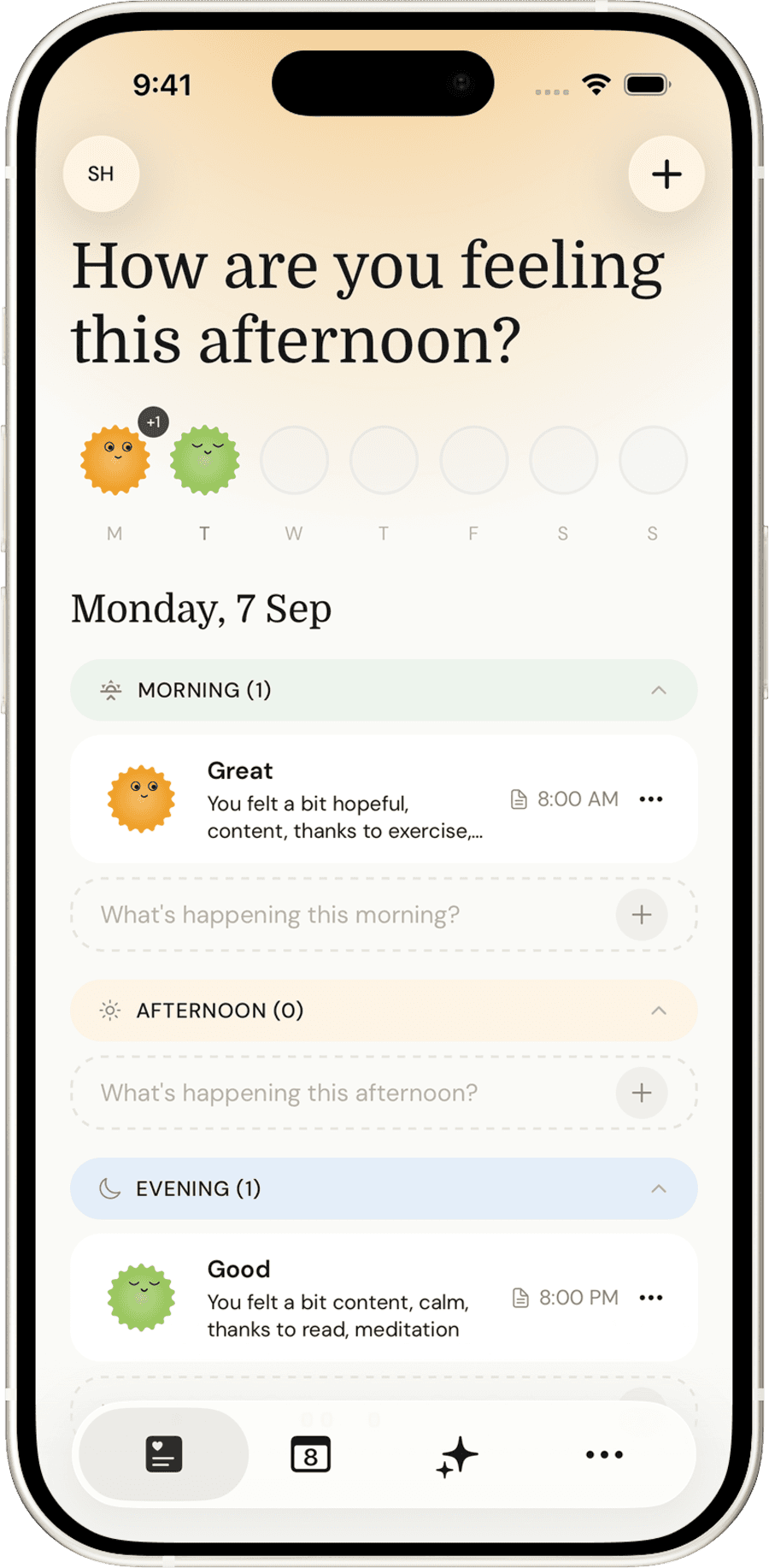
Luma's daily mood journal on an iPhone, showing morning and evening entries

Everything a daily check-in
actually needs.

Your history, organized

Every entry lands in a calendar and list you can actually search through, by mood, by date, or by whatever you tagged it with.

Luma's history screen showing a month of logged moods

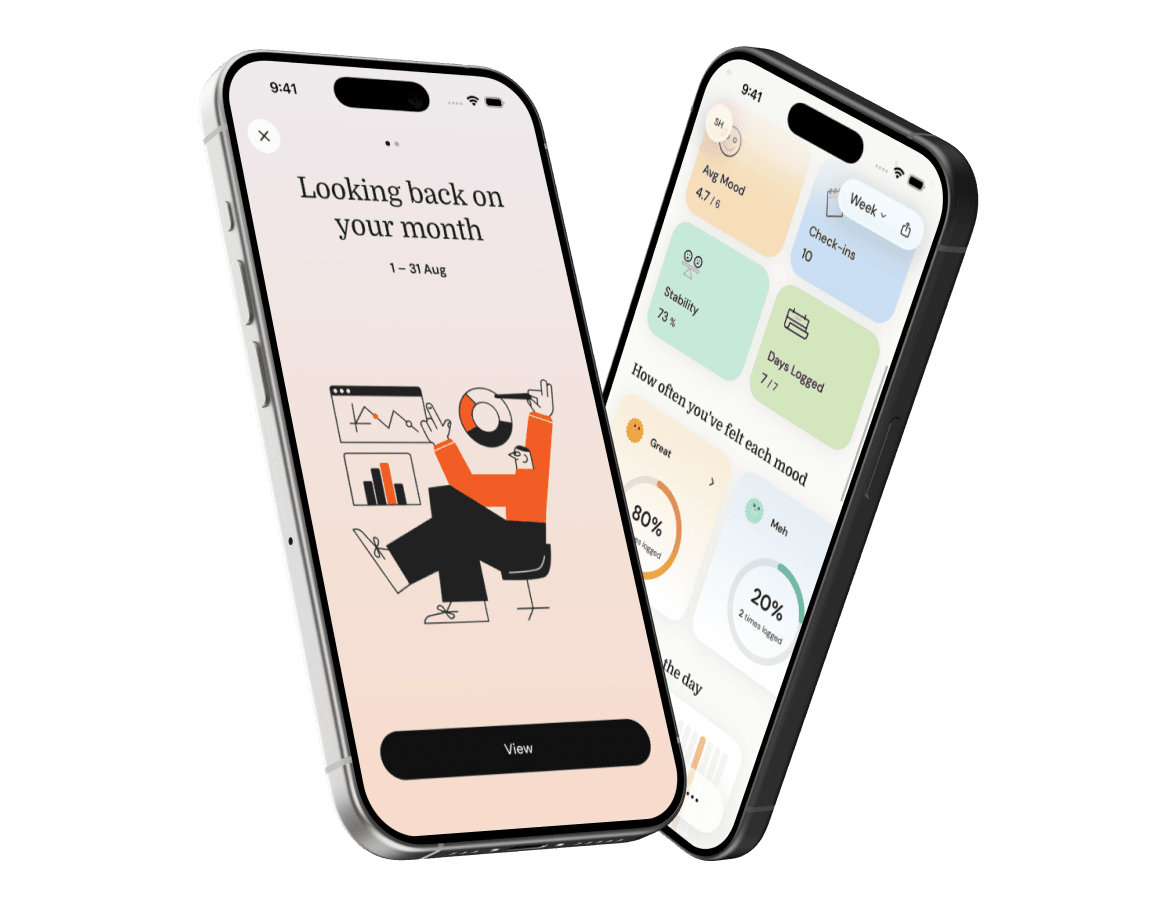
See your patterns

Look back at your week and see how you've really been doing, with an average score and a simple line that shows the shape of it.

Luma's weekly mood trend screen, showing an average score and a line chart

Right on your Home Screen

Log your mood without even opening the app, or glance at today's mood and your average mood score right from your Home Screen.

Luma's mood widget on an iPhone Home Screen, next to the day's calendar and other widgets

More than just a mood

Tag what you were doing, jot a quick note, drop in a photo, or leave yourself a voice memo. Capture as much of the moment as feels right, just for you.

Luma's entry detail screen with an activity search, a quick note, photo, and voice memo

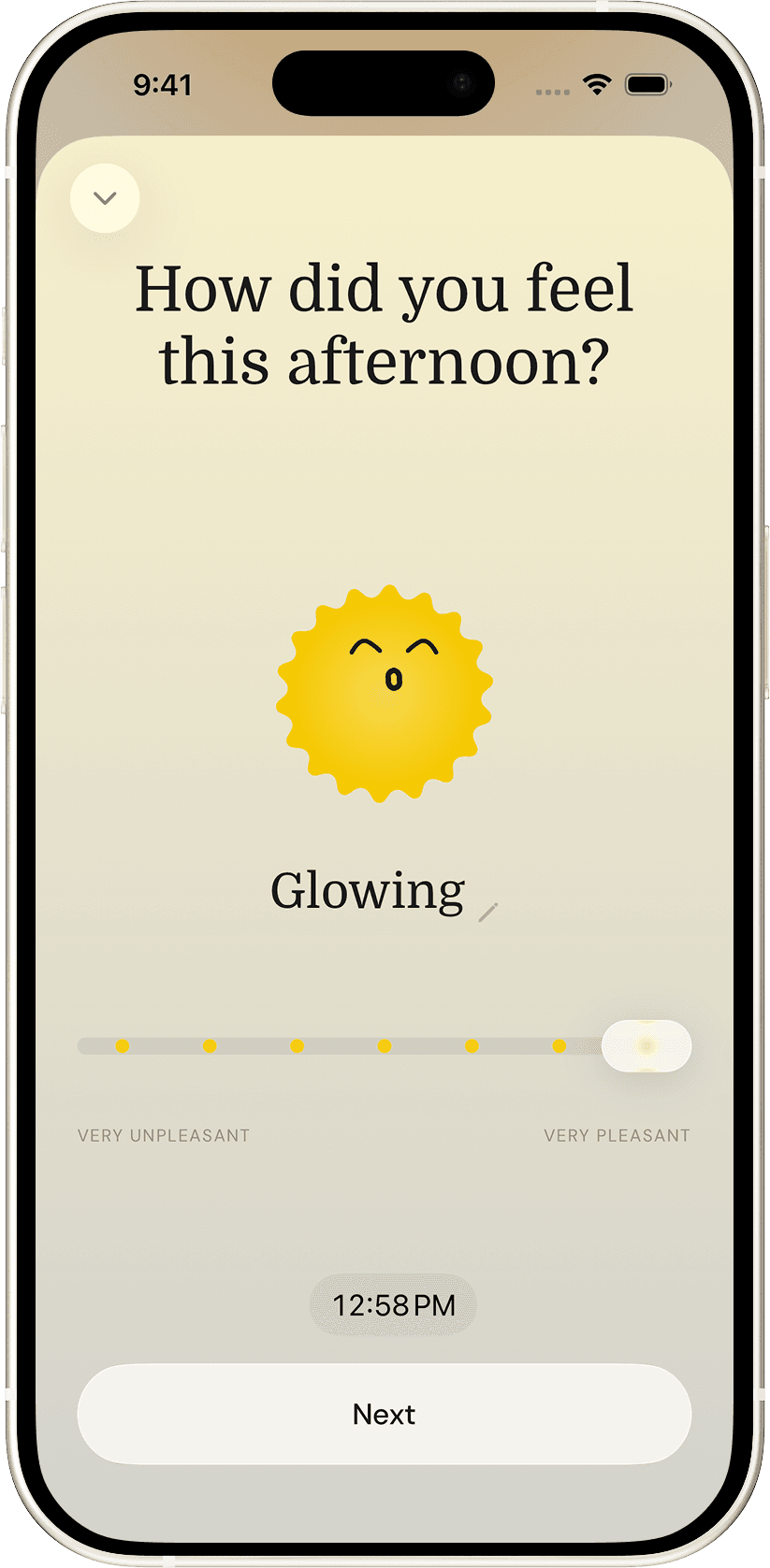
Seven moods,
one honest scale

Luma's mood check-in screen, showing the "Glowing" mood

Start free.
Upgrade when it's worth it.

Free

$0

No account, no time limit

  • Unlimited mood entries
  • Emotions, activities, notes, photos, voice memos
  • Streaks & full history
  • Home Screen widgets
  • AI-powered summaries
  • Cloud backup
MOST POPULAR

Luma Pro

$29.99/year

or $3.99/month

  • Everything in Free
  • Weekly & monthly AI summaries
  • Full Analysis charts & correlations
  • iCloud / Google Drive backup
Luma Pro

Patterns worth noticing, written out for you

  • Weekly and monthly AI-written summaries of your own mood data
  • Full mood trend, weekday, and time-of-day breakdowns
  • Which activities actually correlate with a better mood
  • Cloud backup to your own iCloud or Google Drive
Two Luma screens: an AI-written monthly summary, and a weekly dashboard with mood breakdowns

Got questions?
Here's the answers.

Tap the + button to log a mood. Pick how you're feeling on the slider, then optionally add emotions, activities, and a note. You can log as many times a day as you like.